|
| 

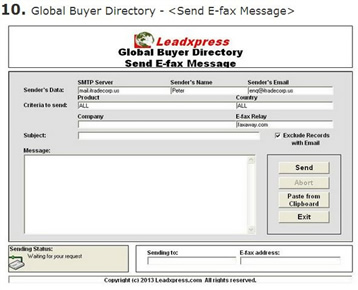
On the (Send E-fax Message) screen, you may use company, country and/or product name to send email-to-fax to global buyers or importers. Your fax message will be forwarded to the email-to-fax service provider's server at the country of destination via email and then will be automatically transmitted to the fax message and delivered to the final recipient's fax machine. It can reduce the IDD cost of communication. After sending, you may print the Efax Report or Unsent Efax Report for your reference and subsequent follow up.
You may directly type your email message on the "Message" field, or create your message by word processing program such as MS Word or Wordpad and then copy the content to the "Message" field by using (Paste from Clipboard) function. Besides, you may change SMTP server, sender's name and email before sending. In order to use this function, the user should apply her own email-to-fax account with the internet fax service provider.
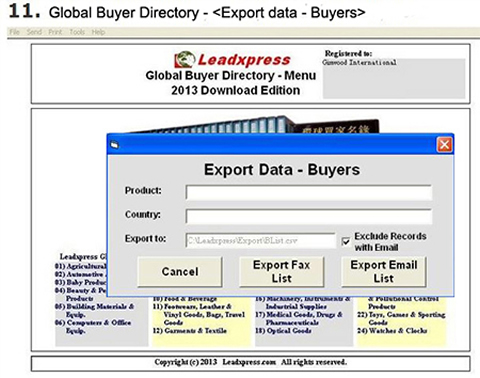
This option allows the user to export some data in CSV text format which is supported by most fax & email application programs.